How it works
-
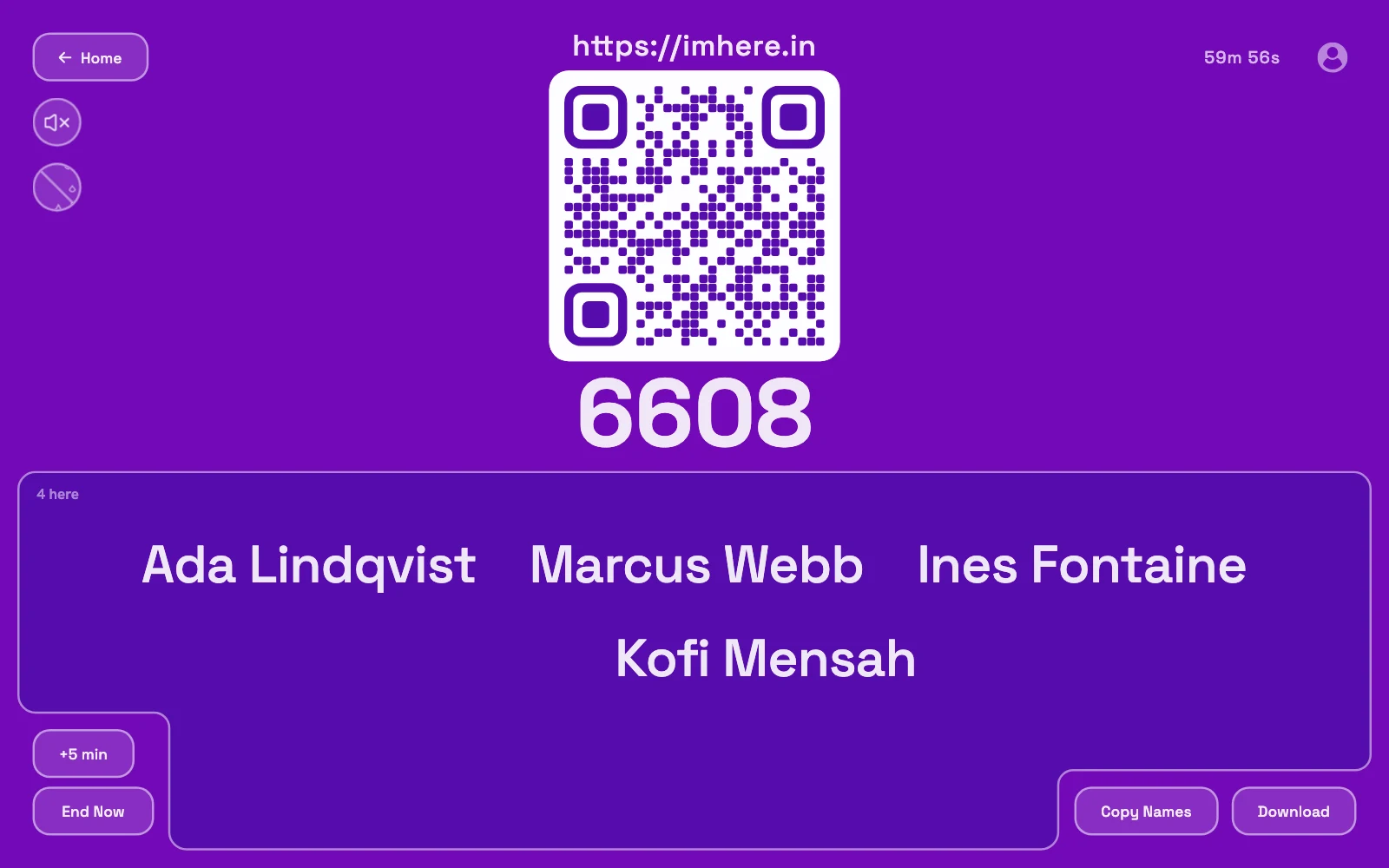
Open a room. Pick how long check-in stays open, from ten minutes to a full day. You get a QR code and a PIN on a page you can project or leave on a screen by the door.
-
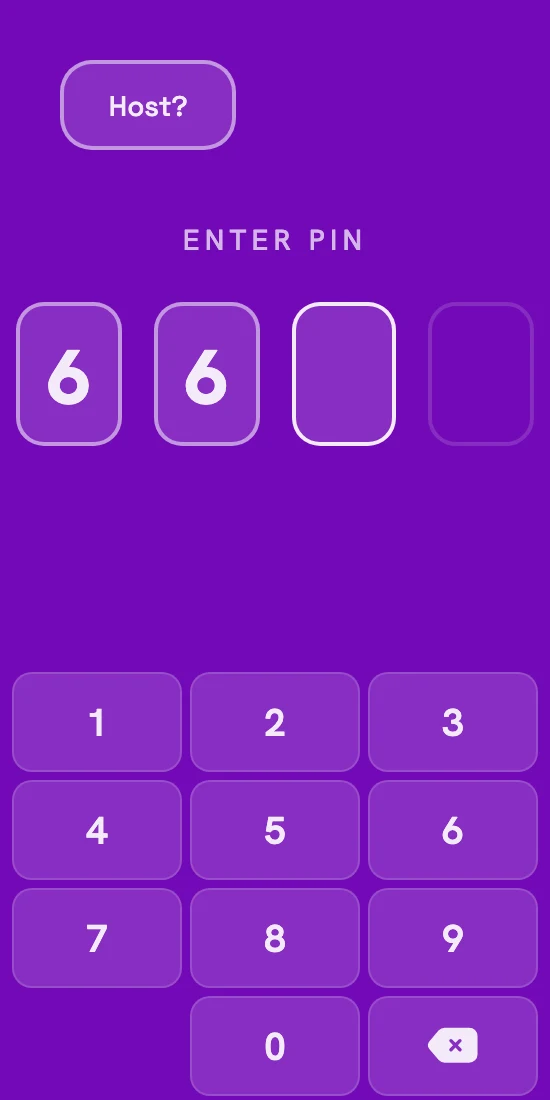
Everyone scans. The phone camera opens imhere.in with the PIN already filled in. Phones that won't scan can type the PIN at imhere.in instead.
-
They add their name. It shows up on your screen a moment later.
-
Take the list. From the room screen, copy the names or download a CSV that opens in Excel with each name and the time they joined. When the timer runs out, check-in closes and the list moves to your room history.
Stopping proxy attendance
The usual problem with QR attendance: one person photographs the code and shares it on the class WhatsApp group, and half the class marks attendance from the hostel. With a static QR code there’s nothing you can do about that.
Im Here! has an option called Verify presence. It can check each phone three ways: a scan of the live board, its location, and its network. With the board scan on, the QR code on the board changes every three seconds. Each version carries a short code built from a secret that only your screen and our server know, and the server accepts only a code from the last few seconds. People enter the PIN and their name as usual, then the page opens their camera and they point it at the board. A photo sent to a friend has stopped working by the time they open it.
Nobody gets locked out
Someone whose camera won't cooperate can still join with the PIN. The board scan fails, and if the room's other checks don't pass either, their name is flagged as not verified. You decide whether that matters, and can mark them verified yourself.
What it proves
The phone could see your board within the last few seconds. It can't tell who is holding the phone, and someone pointing a live video call at the board could still relay it. It's built to stop the group-chat photo, and it does.
The location and network checks, and what each one misses, are on proxy attendance.
Compared to a QR generator and a Google Form
The common free setup is to build a Google Form with a name question, paste its link into a QR code generator, and put that code on a slide. It works, and the responses land in a spreadsheet you keep for the semester. The weak spots are the code, which never changes, and the form, which stays open until you close it.
| QR generator + Form | Im Here! | |
|---|---|---|
| Setup | Build a form, paste its link into a QR generator, print or project the code | Open a room |
| The QR code | Same link forever, so a photo of it works from anywhere | New code for every room, closes with the room; can rotate every 3 seconds |
| Watching check-ins | Refresh the Responses tab or the Sheet | Names appear on the board as people join |
| Late check-ins | Open until you remember to close the form | Impossible once the timer ends |
| Joiners need | Often a Google sign-in, depending on form settings | A phone browser and their name |
| Records | A spreadsheet that keeps growing | Copy, download, or find it later in your room history |
| Price | Free | Free |
If you need more than one question or one sheet for the whole term, Forms is the better tool. There's a longer comparison on the Google Forms attendance page.
QR code attendance FAQ
- Does anyone need to download an app?
- No. Scanning the code with the phone's camera opens imhere.in in the browser with the PIN already filled in. They type their name and tap once. In a Verify presence room, that same scan counts as the board scan. There's nothing to install and no account on either side.
- What if someone's phone can't scan the QR code?
- They go to imhere.in and type the four-digit PIN from the board. In a normal room that's all it takes. In a Verify presence room they still get in. The board scan counts as failed, and if the room's other checks don't make up for it, their name is flagged as not verified.
- How many people can mark attendance in one room?
- Up to 1,000 people per room, and rooms have been load-tested with 500 joining at once. As the list grows the names shrink to fit, and past a certain point the list scrolls, so a lecture hall works the same way a 10-person tutorial does.
- What happens to the names after the lecture?
- Check-in closes when the room's timer ends (set it from 10 minutes, up to 24 hours) or when you press End Now. The list stays in your room history: on your own device if you're not signed in, or saved to your account if you are. Either way you can copy it or download it as a CSV any time. Without an account, our server only holds the live room while check-in is open.
- Is it free?
- Yes. Hosting, joining and downloading the list are all free.
- Can I print the QR code or reuse it next week?
- Every room gets its own PIN and QR code, and both stop working when the room closes. Open a new room at the start of each lecture; it takes a few seconds. Because the code dies with the room, nobody can mark Tuesday's attendance on Wednesday.
Also compared: Google Forms, the printable register, the paper sign-in sheet, Jibble