Side by side
| iClicker | Im Here! | |
|---|---|---|
| Built for | Polling, quizzes and assignments | Taking attendance |
| Who pays | Your students: $4.99–$24.99 each, unless your school pays | Nobody |
| Accounts | Instructor and every student | Optional for you, none for students |
| Setup | Account, course, roster link, desktop software | Open a room |
| Check-in | Signed in, in the student app or web app | PIN or QR in any phone browser |
| In-the-room check | Location range; Bluetooth in the mobile app | Live QR scan, location, network |
| Records | iClicker gradebook; LMS sync on the Pro plan | Copy or download the list |
| Student data | Name, school email and student ID in an account | A typed name (and any answer you ask for), deleted from the room when it closes |
What iClicker is
iClicker, from Macmillan Learning, is a classroom response system: live polls and quizzes, assignments and a gradebook, with attendance built in. It's free for instructors. Attendance-only courses used to be free for students too, but since August 2026 students need a subscription after a 14-day trial unless their school covers it: $4.99 for six months or $7.99 a year for attendance only (iClicker Pulse), or $15.99 for six months or $24.99 a year with polling (iClicker Pro).
Setup runs through accounts. You create an iClicker account and a course, usually link your LMS roster, and turn attendance on in the course settings on their instructor website. Each student creates an account with their school, school email and a password, adds your course by search, join code or LMS link, then joins the session every class in the student app or web app.
An account and a subscription per student
Attendance-only check-ins were free until August 2026. Now each student needs a subscription after a 14-day trial, unless your school pays.
Location and Bluetooth
You set a location range for the class, and check-ins from outside it fail. The Bluetooth check needs the iClicker app.
Student data goes to a lot of companies
Macmillan's privacy notice lists outside companies that process school data for iClicker, from AWS and Salesforce to support and IT contractors in India and a call center in Jamaica.
And data about you
The same notice says Macmillan can add to educators' records from social media, school websites and data brokers, and share them with joint marketing partners.
What Im Here! is
Im Here! only takes attendance, and it starts in the time it takes to open a tab. You open a room, the four-digit PIN and a QR code go up on the projector, and students type their name in from any phone browser. There's no account, no course, no join code and no app, and nobody pays.
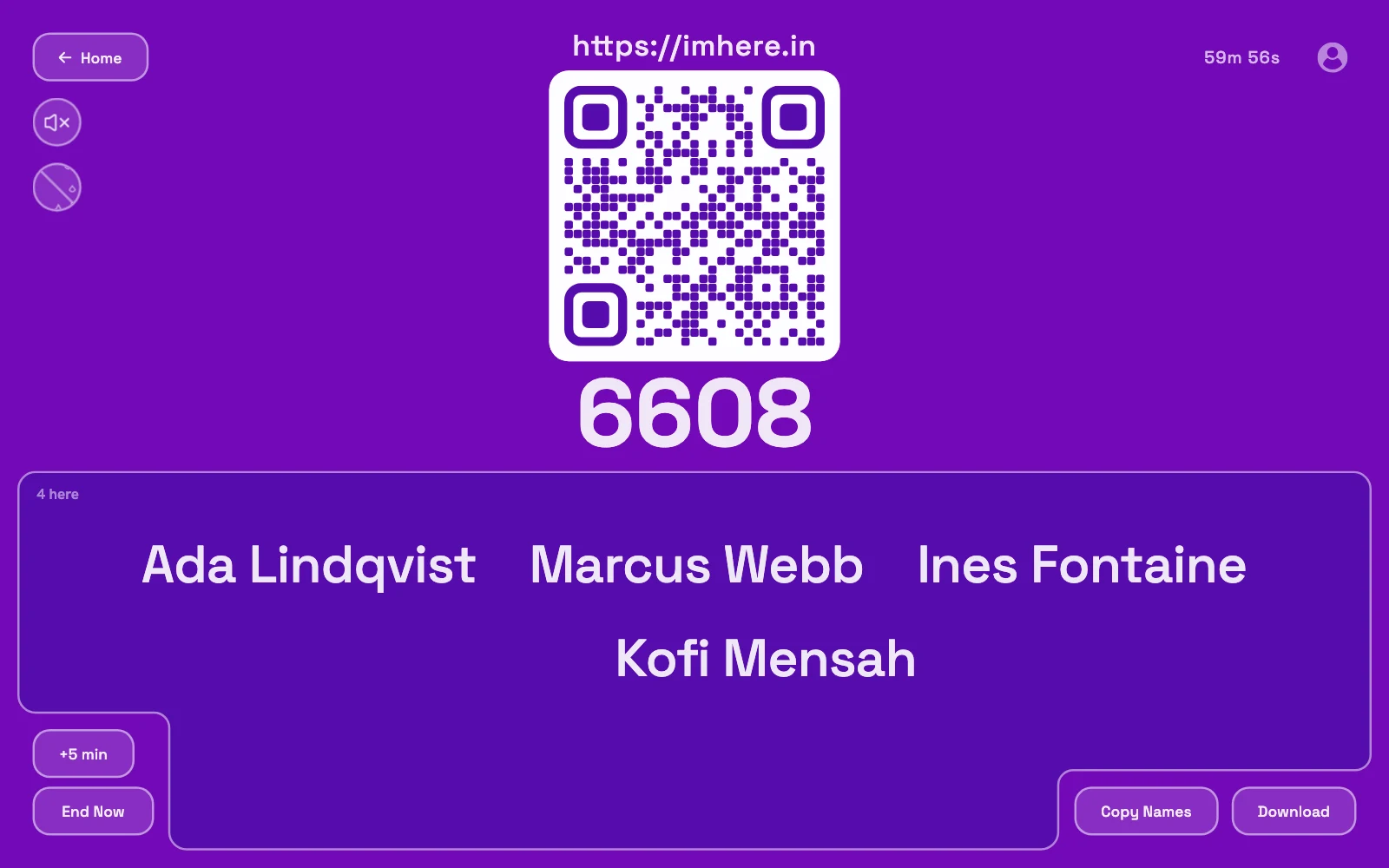
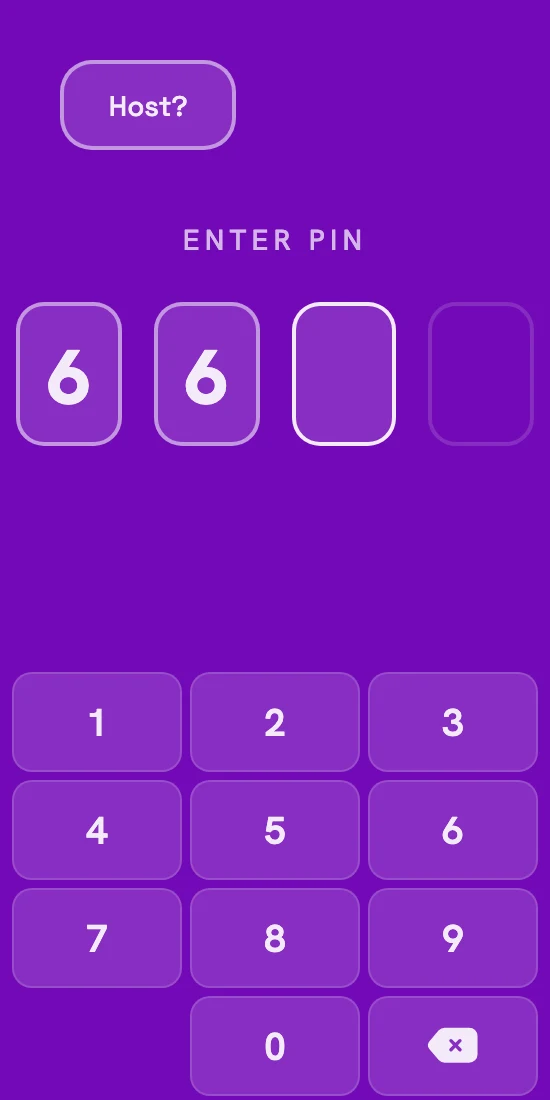
For a lecture hall, turn on Verify presence: a scan of the live board, plus location and network checks. Nobody gets locked out. A name that fails shows up flagged, and you decide what it means. One room holds up to 1,000 names, and you copy or download the list when you're done.
Students give a name, plus an answer if you ask a check-in question, and nothing else. It's stored on our server in the US, the live room deletes it when it closes, and the finished list goes to you, kept in your browser or encrypted in your account. No support contractors, call centers, ad networks or data brokers ever see it. And we don't buy data about you or share it with marketing partners.
- Free for students
- No accounts
- No app
- Up to 1,000 per room
Keep the list: press Copy Names or Download before the timer runs out.
How each one checks you’re in the room
iClicker checks that each student is within a range you set around the classroom. Its newer Bluetooth check needs the iClicker app on every phone.
Im Here! checks against your board instead. The QR code on the projector changes every few seconds, so a photo sent to the group chat stops working before anyone can use it. Location and same-network checks are optional extras, and a name that fails is flagged for you rather than turned away.
Nothing to install
Students check in from the browser already on their phone.
What it proves
The phone could see your board a moment ago. Someone holding a friend's phone in the room could still check them in, same as with iClicker.
So which one?
If iClicker already runs your polls and quizzes, and your school pays for it, keep it. Attendance is one toggle away.
Just know how the model works: unless your school pays, it's free for you because your students pay. You pick the tool, and the people who never got a say get the bill. Attendance-only courses were the free part until August 2026, and now they're billed too.
If attendance is the only reason you'd set up a course, accounts and student subscriptions, open a room instead. Nobody pays, and it's ready before your students have found their seats.
Also compared: Top Hat, Google Forms, the paper sign-in sheet